01 · Cache list
Find your next cache
Browse your caches with distance, cache type and clear colour markings. Search, filter and sort the list to focus on what matters for your trip.
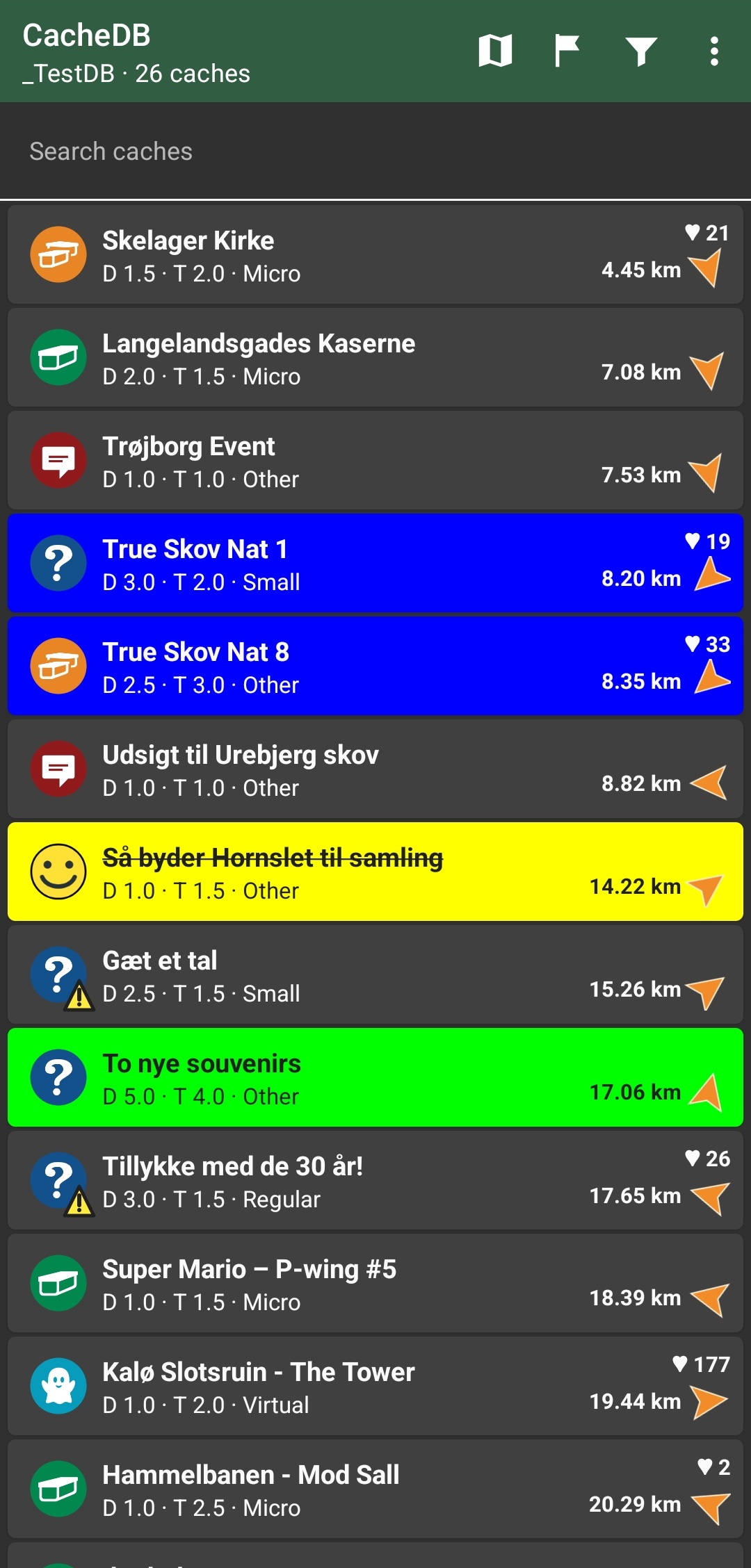
CacheDB puts your GSAK databases on your phone. Find caches, view their details and use offline maps while you are out exploring. Save filters and highlight caches with your own colour rules.
The essential information and tools are together in an app designed for use in the field.
Browse your caches with distance, cache type and clear colour markings. Search, filter and sort the list to focus on what matters for your trip.
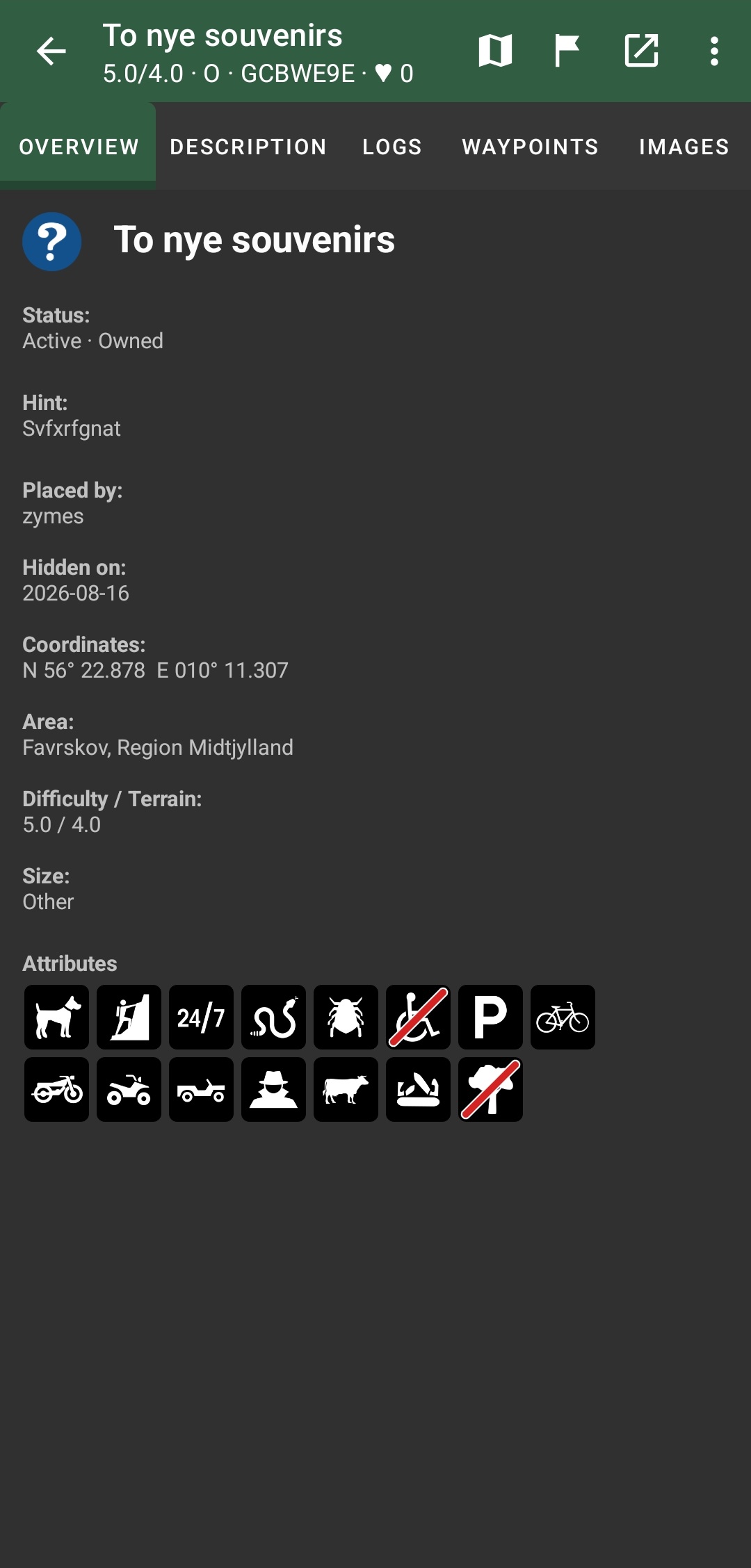
See status, coordinates, difficulty, terrain, attributes, description and logs for each cache.
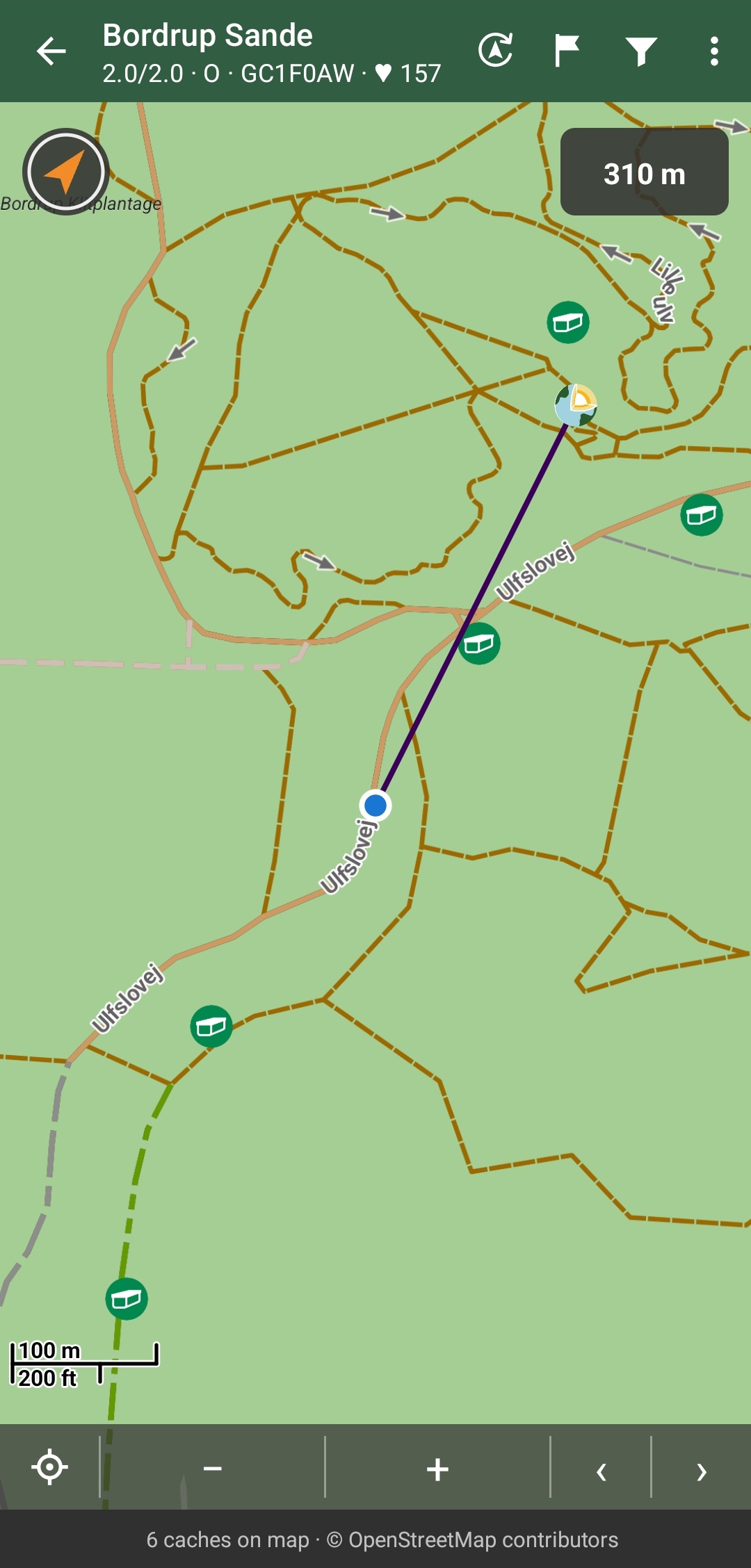
Show caches and waypoints on offline maps. See your position and distance to the active cache, even when connectivity is poor.
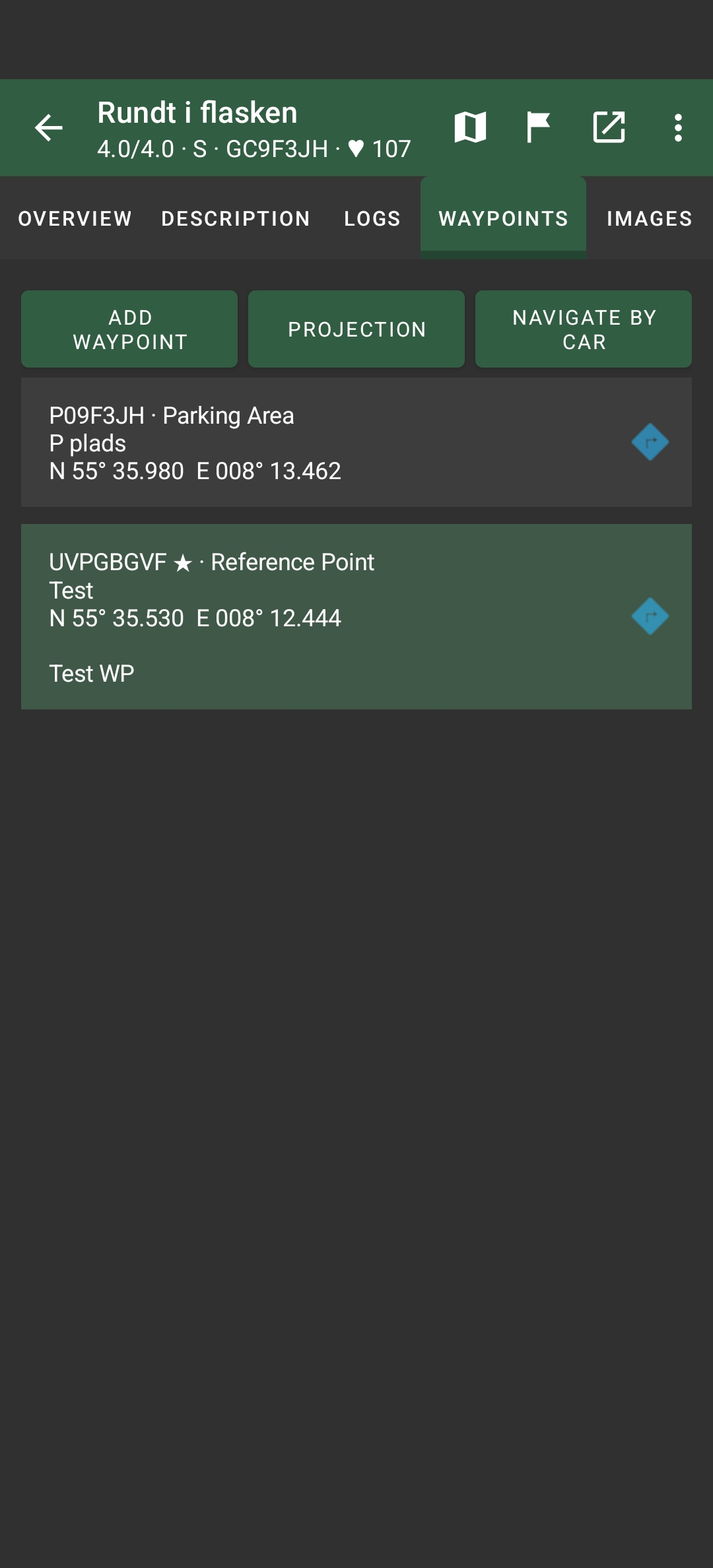
View related waypoints, add your own and project a new point using bearing and distance.
Save your filter settings under a name and open them again with just a few taps. Switch easily between different selections of caches when planning your next trip.
Example: One filter for mystery caches and another for caches with low terrain ratings.
Combine standard cache fields and your database’s custom fields in the same colour rule. Caches matching all the conditions are highlighted in the list and on the map.
Example: At least 50 favorite points, terrain 2.0 or lower, and a custom Yes/No field set to Yes.
Get CacheDB on Google Play.
Use at your own risk, and remember to keep a backup.

Questions or feedback about CacheDB? You can reach me here:
Enjoying CacheDB? You can support its development by buying me a coffee. It’s entirely optional—thank you for your support!